

「ナノ物質のモノづくり」
弊社は、「ナノ物質のモノづくり」をビジネステーマに掲げ、基材表面にナノ材料の機能を付与する加工技術を手掛けています。具体的には、①あらゆる物質をナノサイズにする細分化技術(インク化技術)、②機能性インクを用いて基材表面に成膜・パターニングを行うプロセス技術、③機能を発現するための後処理技術を取り扱っています。
多くの案件を手掛けた経験・ノウハウを背景に、お客様のアイデアを実現するための原理検証(試作)から、機能性インクの開発や製品プロセスの構築まで、ご要望に沿った技術支援を行っております。その他、特定領域の特許・技術調査も承っております。
遠慮なく、ご相談をいただければ幸いです。ご要望あれば、WEBミーティングも承っております。

製品の紹介
画像クリックで関連ページへジャンプします。

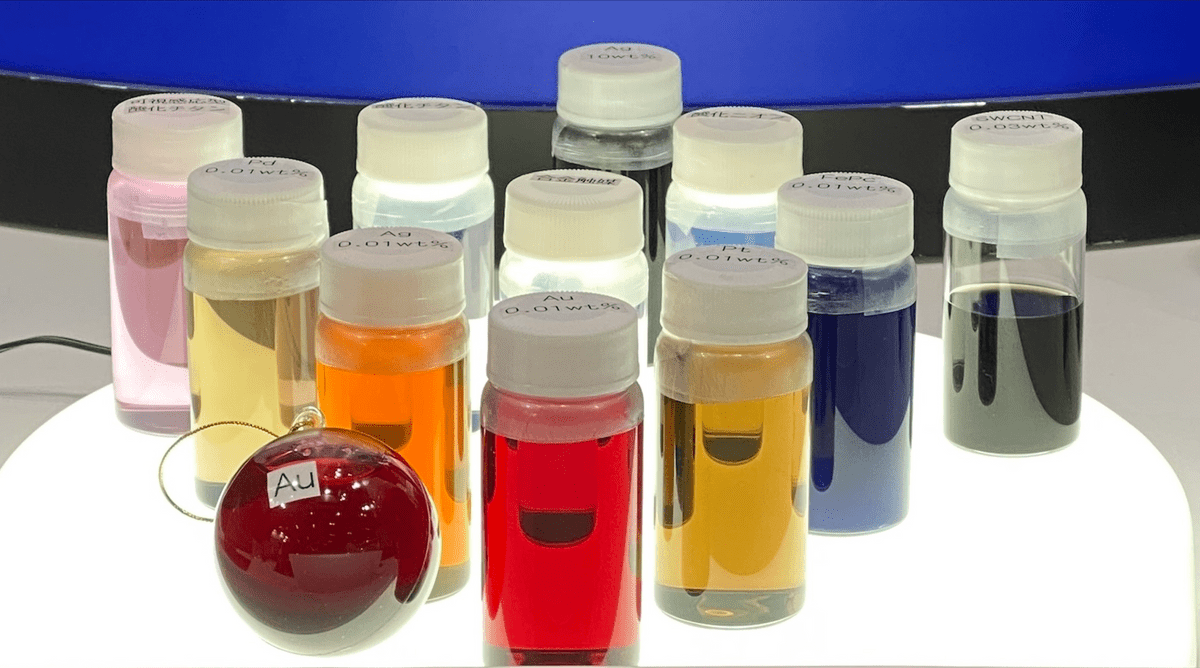
化学合成、超音波ホモジナイザ、レーザアブレーション、ボールミリングなどによるナノ粒子の製造を手掛けています。お客様の要望に応じたナノ分散液(ナノインク)を試作いたします。
また、製品として純金属(Au, Ag, Pt, Pd)、金属酸化物(TiO2, WO3)、及びカーボン材料(SWCNT、金属的SWCNT、半導体的SWCNT、MWCNT、フラーレンC60C70)なども販売しています。ご用命のナノ材料がありましたら、お気軽にお問い合わせください。
応用例:
● 導電性インク
● 絶縁性インク
● 顔料インク
● 蛍光インク
● 触媒インク
● 酸化物インク
● 半導体インク
● グラファイトインク
● 単層カーボンナノチューブ(SWCNT)
● 金属的SWCNT
● 半導体的SWCNT
● 多層カーボンナノチューブ(MWCNT)
●フラーレンC60、C70
● 遮熱材料
● 断熱材料
● 抗菌材料
● 光触媒など

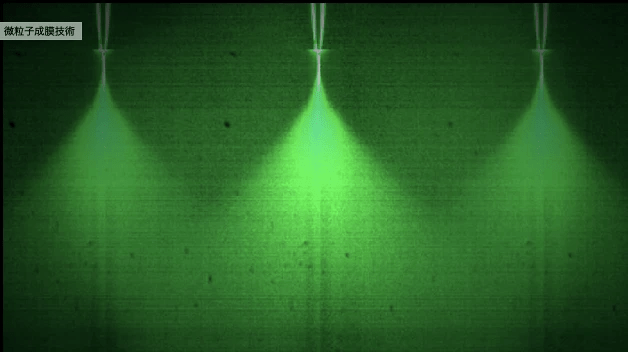
高品質の静電スプレーを用いて、ナノ粒子や液材料をワーク上に薄膜形成いたします。マスクを用いれば、パターン形成も容易にできます。
その他、ナノ粒子の分散塗布にも利用でき、電子顕微鏡(SEM、TEM)や原子間力顕微鏡(AFM)などで、一つ一つのナノ粒子に対する大きさ・形状を観察する際に役立ちます。応用例:
● 電子顕微鏡の観察試料の作製
● 機能性フィルムの製造
● 化学センサーの製造
● 燃料電池の電極・セパレータの製造
● 2次電池電極の製造
● 発光面の製造
● 質量分析のマトリックス塗布
●触媒ナノ粒子を用いた無電解メッキ
● 合金・複合材料の製造
● バイオセンサーの製造
● 表面増強ラマン基板の製造
● レジスト材の薄膜塗布
● レンズの反射率改善
● コンデンサーの製造
● EMI・EMS対策
● 微粉体の製造など
● 半導体ウエハ表面のコーティング
● 半導体ウエハ表面の模擬ダストの付着など

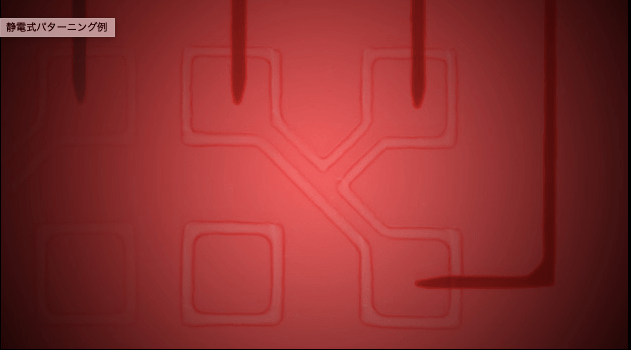
静電分注とは、静電吸引力を利用して、ノズルから微量のサンプル液を吐出する技術です。静電インクジェットと呼ばれることもあります。ナノインクや樹脂などの高粘性材料(5Pa・s以下を推奨)においても、nL, pL, fLオーダーで液滴形成ができます。また、ドット径で2μmφ以上、ライン線幅で10μm以上の描画を実現できます。機能性材料を用い、ワークの特定位置にドット・細線からなるパターンを直描したい用途で役立ちます。
応用例:
● プリンタブルエレクトロニクス
(3Dも含む)
● 配線のリペア
● 化学センサーの製造
● 小部品の樹脂封じ
● 局所電気絶縁性の付与
● 3Dデバイスの試作
●機能性パターンの試作
● ナノ粒子を用いた局所の無電解メッキ
● レジスト材の局所塗布
● バイオチップの製造
● 発光面、発電面の補助配線
● レンズの遮光部形成
● 受信アンテナの製造
● 生体組織の局所に試薬塗布
● ナノワイヤの製造
● ドット模様の形成など
会社概要
名称 浜松ナノテクノロジー株式会社
Hamamatsu Nano Technology Inc.
設立 2008年7月14日(現在第16期目)
所在地
〒433-8112
静岡県浜松市中央区初生町1384番地
TEL:053-522-9447
FAX:053-522-9448
資本金 2500万円
代表取締役 社長 川上友則(工学博士)
主要営業品目
①ナノ材料・ナノインクの開発、製造、販売、試作、委託生産
②静電噴霧成膜技術を用いた試作、受託加工、専用装置の開発、製造、販売
③静電分注・パターニング技術(静電インクジェット)を用いた試作、受託加工、専用装置の開発、製造、販売
④ナノ材料、製造プロセスに関する技術コンサルタント
⑤特定領域の特許・論文等の技術調査
取引銀行
静岡銀行
関係先
浜松ホトニクス株式会社
賛助会員
静電気学会
NBCI(ナノテクノロジービジネス推進協議会)
一般会員
日本化学会
フラーレン、ナノチューブ、グラフェン学会

代表取締役 社長 川上友則